Install Skeleton in Moho
First choose the version that matches your Moho installation, then install the Skeleton folder directly from Moho. It only takes four steps.
Extract & Choose Your Version
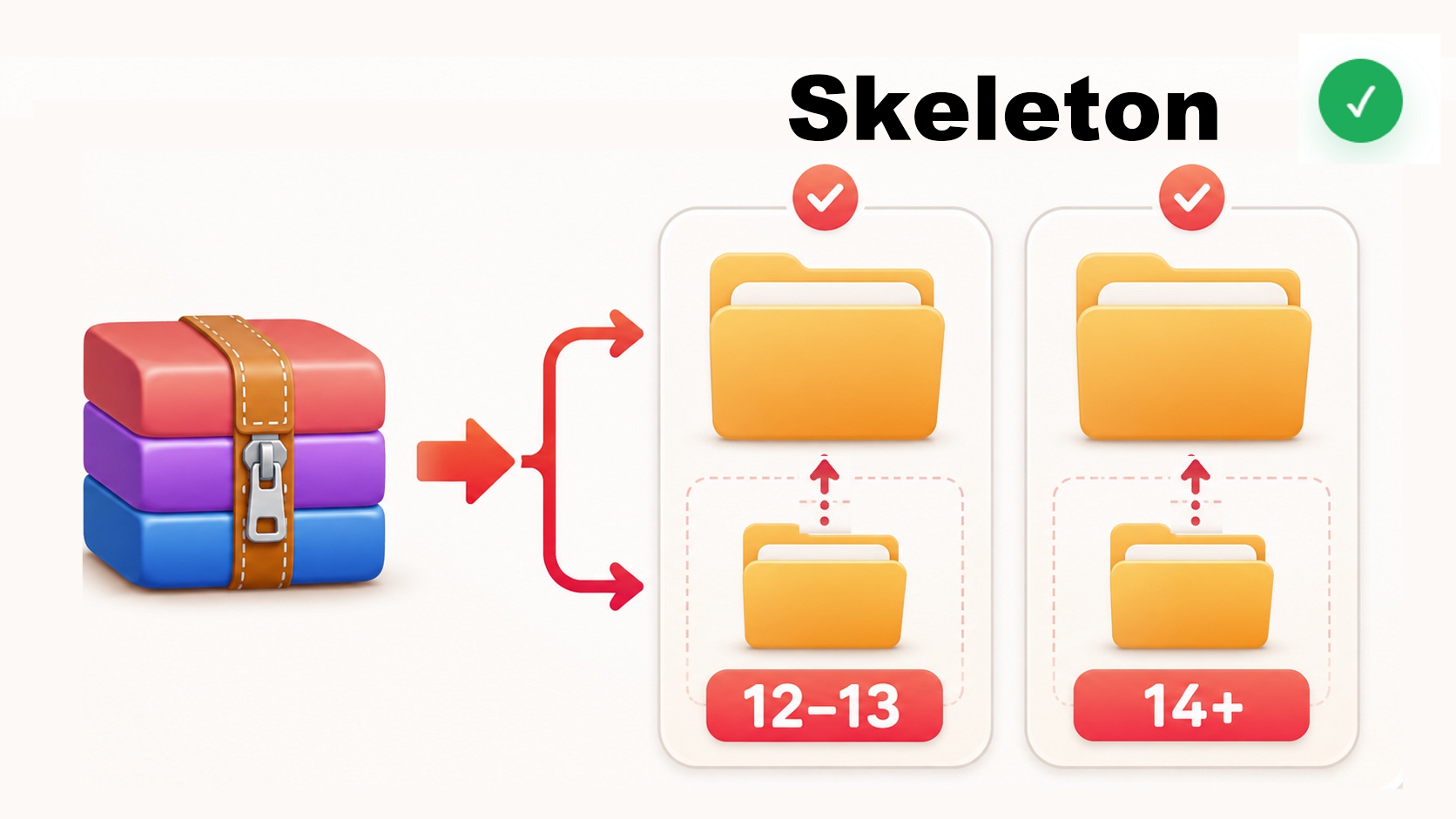
Extract Skeleton.zip. Inside you'll find two folders. Choose the one that matches the version of Moho you're using.
After choosing your version, open that folder. Inside you'll find the Skeleton folder that will be installed in Moho.
Open Install Script
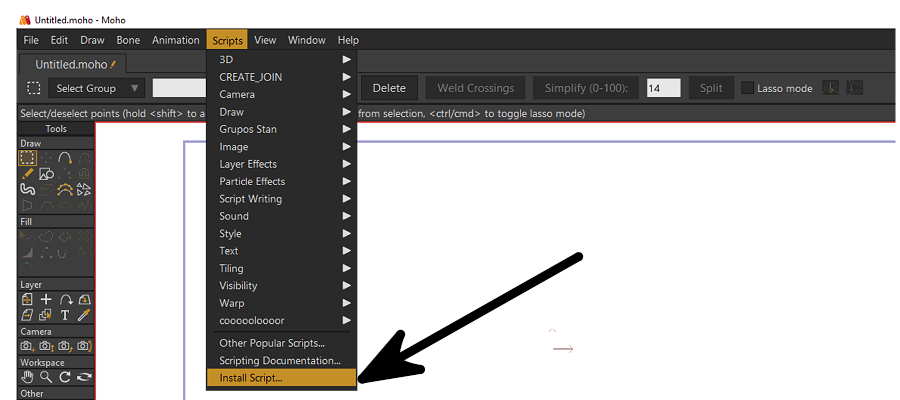
Open Moho. From the top menu, go to Scripts → Install Script…
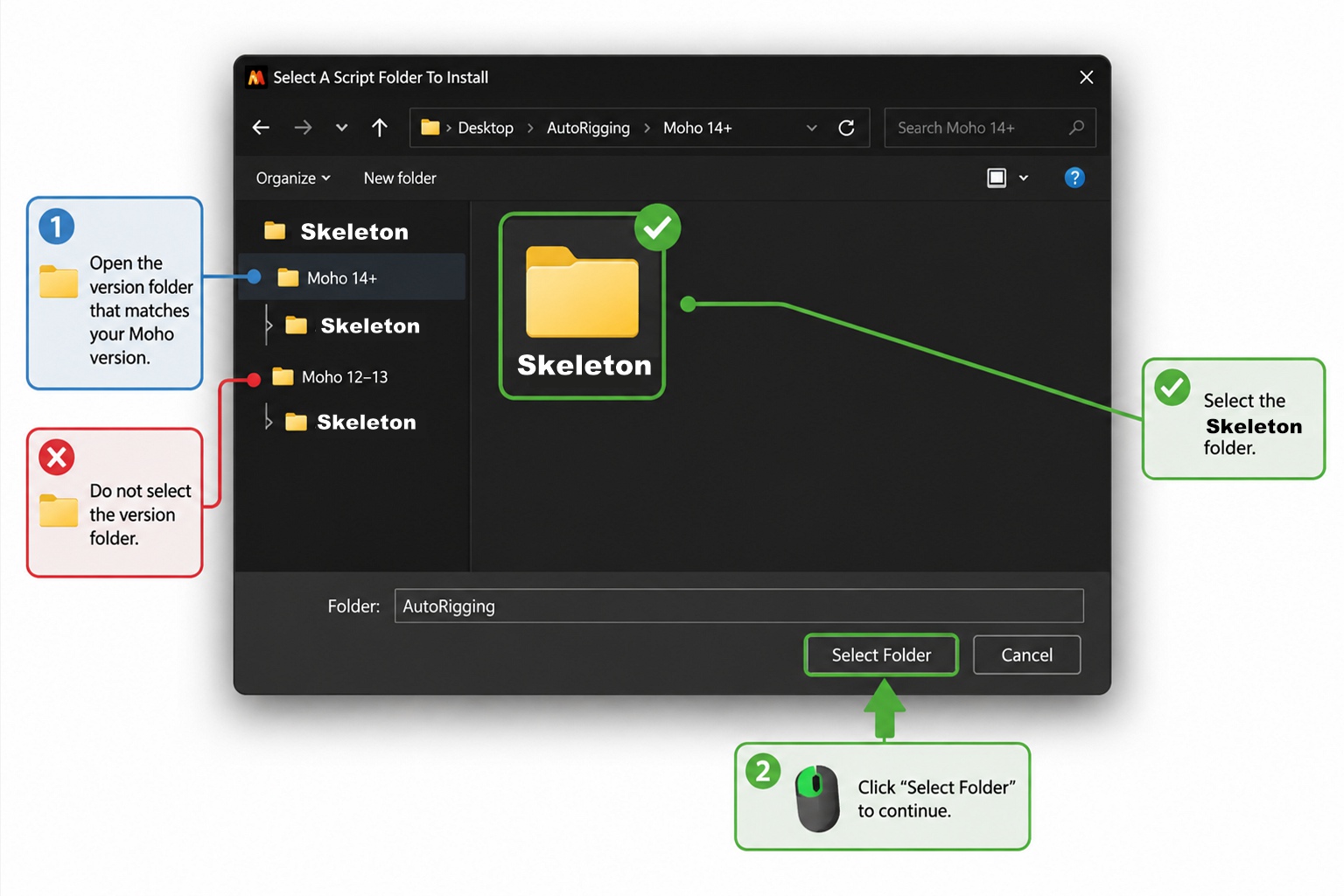
A file browser will open so you can select the Skeleton folder.
Select Skeleton
Open the version folder you chose in Step 1, then select the Skeleton folder inside it.
Important: select the Skeleton folder itself. Do not select Moho 12–13 or Moho 14+.
Updating Skeleton? If Moho asks whether you want to replace existing files, choose Overwrite to continue.
Installation Complete
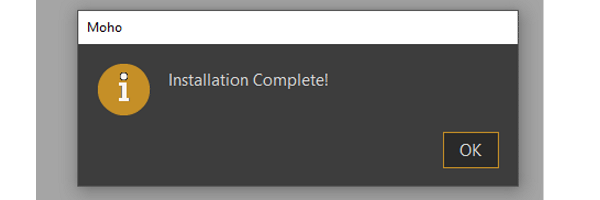
When Moho displays “Installation completed!”, Skeleton has been installed successfully and is ready to use.
Try Skeleton Free for 14 Days
Unlock the complete Skeleton toolset and experience the full rigging workflow before deciding to purchase.
Every Skeleton tool. Free for 14 days.
Your trial gives you full access to Skeleton, so you can explore its rigging tools in your own projects and see how it fits into your workflow.
What happens when the trial ends?
Nothing is lost. You can purchase a Skeleton license to keep all features unlocked, or simply continue using the free version for as long as you like.
Open the Skeleton Menu
Open Skeleton in Moho and click the drop-down menu. This menu contains the trial and license options.
Select “Start Trial”
Choose “Start Trial”. Skeleton will verify your device's date and time before activating the trial.
Date or time incorrect? Correct your computer's date and time, then start the trial again.
Activate Your Trial
Once the verification is complete, click “OK”. Your 14-day trial is now active and all Skeleton tools are unlocked.
You're Ready to Rig.
Skeleton is installed and your trial is active. Open your character in Moho and start creating.
Need help?
If you're having trouble installing or activating Skeleton, we're here to help.