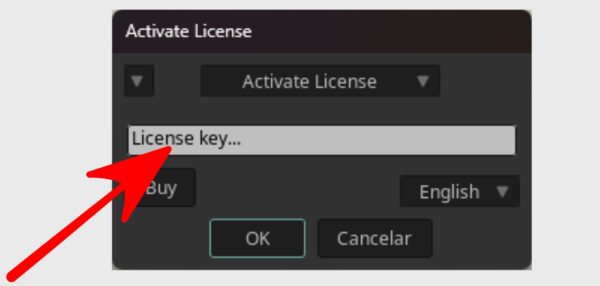
2) Step two, type the licence key in the dialogue box :
Click “OK” and your license will be activated..
And that’s it, your license will be activated. 🙂
How to activate your Moho license on multiple computers (PC or Mac)?
Your license can be used up to two times. Find out how by clicking below.
How to use your license up to two times?
If it is the first activation, the process will be automatic.
For the second or third activation, follow these simple steps:
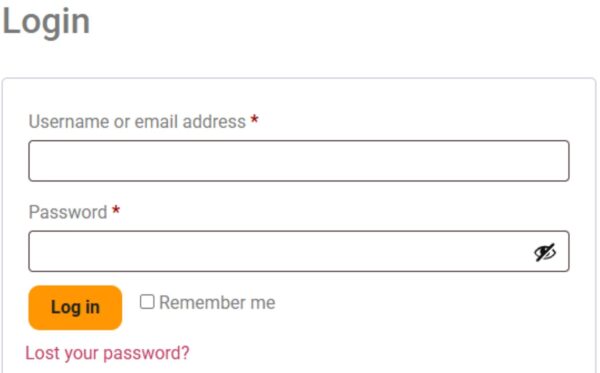
1) Log in to your default browser
You must be logged in to your system's default browser, whether on PC or Mac.
2) Enter the license key
Enter your license key in the dialog box and click “OK”.
3) The activation page will open
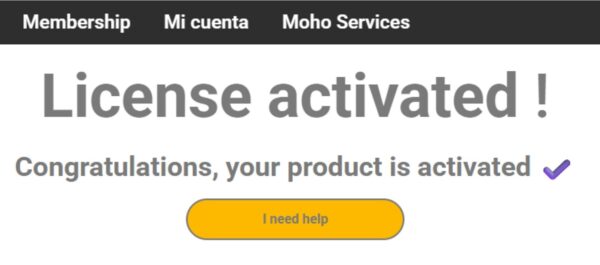
Your browser will automatically open to an activation webpage to verify your license.
It is important to wait until the page has fully loaded.
Once the process is complete, your license will be activated!
And that’s it, your license will be activated. 🙂
Did the license not activate?
The default timeout is 3 seconds, which is usually enough. However, there may be exceptions, for example, if your internet connection is very slow.
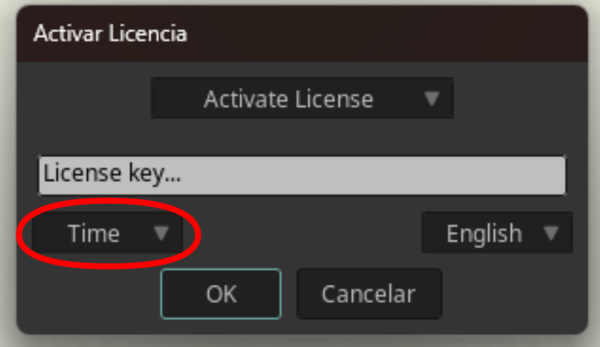
If the activation does not complete, your network is likely experiencing low speed. In that case, you can increase the timeout as shown in the corresponding image.
The default value is 3, which means the process will wait for 3 seconds.
You can adjust this value based on your connection speed. For example, setting it to 4 means the process will wait for 4 seconds.
Increase the value if your network connection is slow or unstable to improve the activation process.